
Quick menu
The quick menu is a small window with shortcuts to Aethernal's own features. Open it with the button at the bottom right of the taskbar.
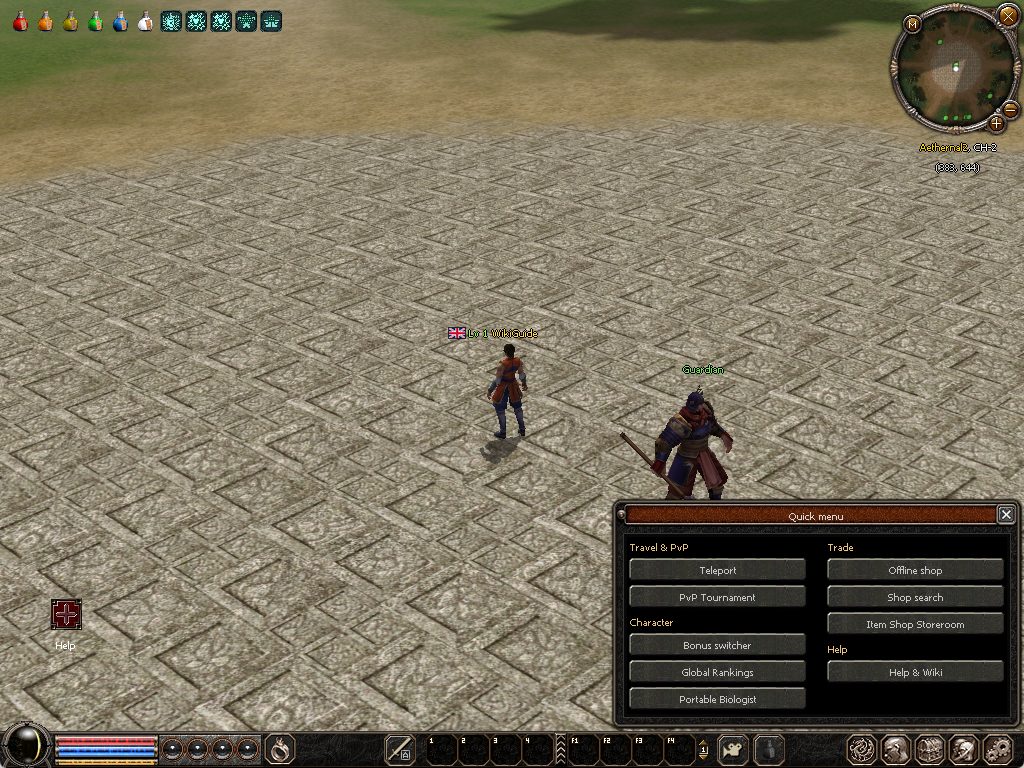
Entries
| Entry | What it does |
|---|---|
| Teleport | Opens the teleport window (also the Tab key): villages, hunting grounds and the Dungeons tab with the dungeon timers |
| Offline shop | Opens your shop panel, or the shop builder when you stand in a village plaza: see Offline shops and the village plaza |
| Shop search | Find and buy items from every offline shop: see Shop search |
| Item Shop Storeroom | Opens the storage where your item shop purchases wait: see Item shop |
| Portable Biologist | Hand in biologist items from anywhere: see Biologist and the Portable Biologist |
| Bonus switcher | Rerolls bonuses automatically (also F5): see Bonus switcher |
| Help | Opens the Help Center with the tutorial and every keyboard shortcut (also the H key) |
| Wiki | Opens this wiki inside the game |
The menu only lists the entries your game client supports.
The wiki in the game
The Wiki entry opens this wiki in the game's web window, in your game language. You can look up items, monsters, drops and these guides without leaving the game. The item shop's coin button uses the same window.
Closing it
The menu closes when you choose an entry, click the taskbar button again, press ESC or click the X.